





Zoom the image with the mouse
CPI
CPI NetMAC Carrier Monitoring
Request a quote at Contact@orbitalconnect.com or +1.888.315.9545
NetMAC™
Carrier Monitoring
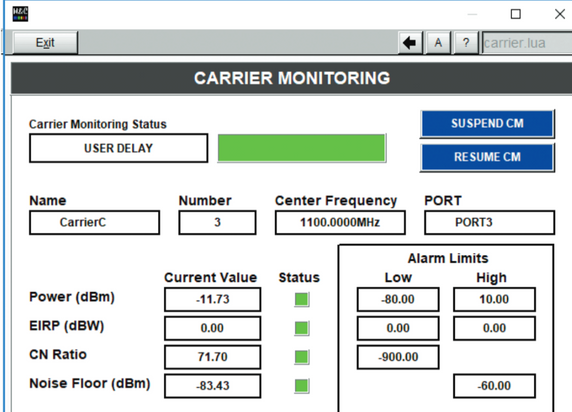
The NetMAC™ Carrier Monitoring Software was designed to make it easy for a user to enter carrier parameters and have the system compute the Power Level, Noise Floor, C/N Ratio, and EIRP (if applicable). It can either loop through all active carriers or continuously scan a selected carrier.
FEATURES:
• Automated measurement of power, C/N ratio, noise floor and EIRP
• Built-in history collection capability
• Configured to handle up to 100 carriers (can be factory modified to handle even more)
• User definable alarm set points that are color coded for easy visual interpretation
• Low cost alternative
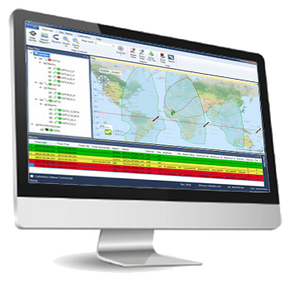
The carrier records displayed are color-coded; red indicating that an alarm condition exists, yellow if inactive, and black otherwise. If an alarm condition exist for a particular carrier, an asterisk is placed in the table before the value (Power Level, EIRP, C/N Ratio or Noise Floor) that is in the alarm state.
This dialog is set to update every time a carrier’s information updates via the system.
The Define Carrier dialogue allows the user to set up the specifics of multiple carriers.
The carrier information is stored in the NetMAC database.
Many carriers can be predefined, and the software will automatically scroll through each, setting the appropriate switch position and commanding the spectrum analyzer to the defined settings.
5 customers are viewing this product
Details
NetMAC™
Carrier Monitoring
The NetMAC™ Carrier Monitoring Software was designed to make it easy for a user to enter carrier parameters and have the system compute the Power Level, Noise Floor, C/N Ratio, and EIRP (if applicable). It can either loop through all active carriers or continuously scan a selected carrier.
FEATURES:
• Automated measurement of power, C/N ratio, noise floor and EIRP
• Built-in history collection capability
• Configured to handle up to 100 carriers (can be factory modified to handle even more)
• User definable alarm set points that are color coded for easy visual interpretation
• Low cost alternative
The carrier records displayed are color-coded; red indicating that an alarm condition exists, yellow if inactive, and black otherwise. If an alarm condition exist for a particular carrier, an asterisk is placed in the table before the value (Power Level, EIRP, C/N Ratio or Noise Floor) that is in the alarm state.
This dialog is set to update every time a carrier’s information updates via the system.
The Define Carrier dialogue allows the user to set up the specifics of multiple carriers.
The carrier information is stored in the NetMAC database.
Many carriers can be predefined, and the software will automatically scroll through each, setting the appropriate switch position and commanding the spectrum analyzer to the defined settings.
Download
| Download Name | |
| NetMAC™ Carrier Monitoring Datasheet | |